
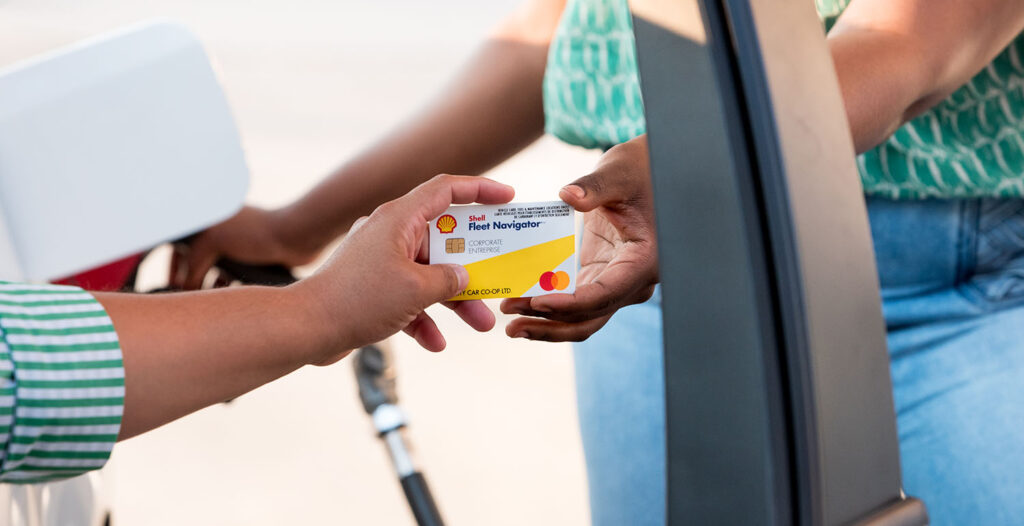
When you open the glove box in any Peg City vehicle, you’ll find a Shell fuel card installed inside. These cards can be activated in the app and used to pay at the pump at any gas station in Canada, providing our members with convenience and flexibility while keeping the cards secure.
Read on for a step-by-step guide on fueling a Peg City vehicle, or watch our video below!
How to Fuel a Peg City Vehicle
The fuel card is in the key-card holder inside the glove box. It should work at any fuel retailer in Canada, so long as they have a pay-at-the-pump option. We ask that you have another form of payment along with you, just in case there’s an issue with the card and you need to pay out of pocket (more on how to get reimbursed later). Note that the Shell cards won’t work for in-store purchases.
Activate the Card and Find the PIN
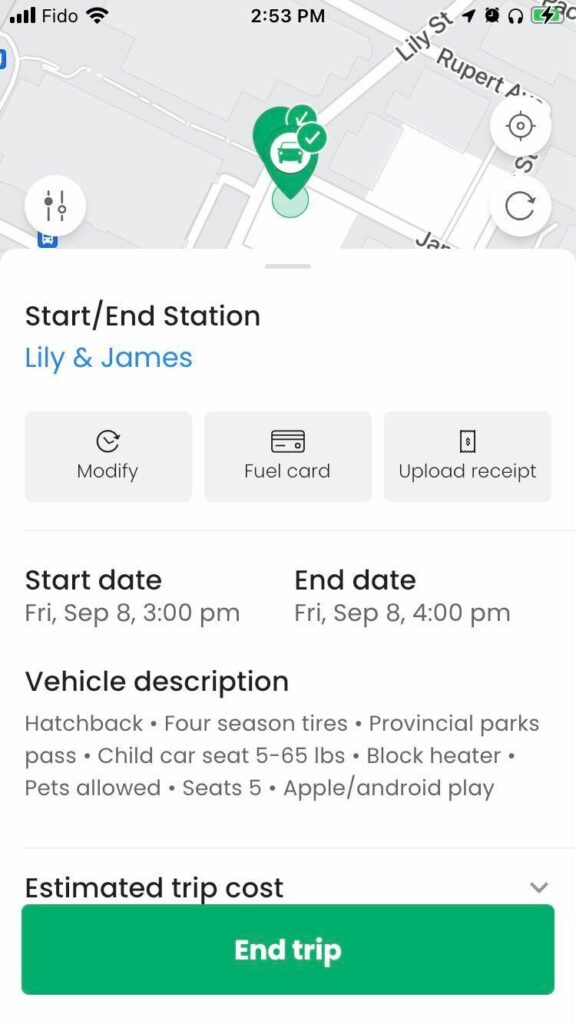
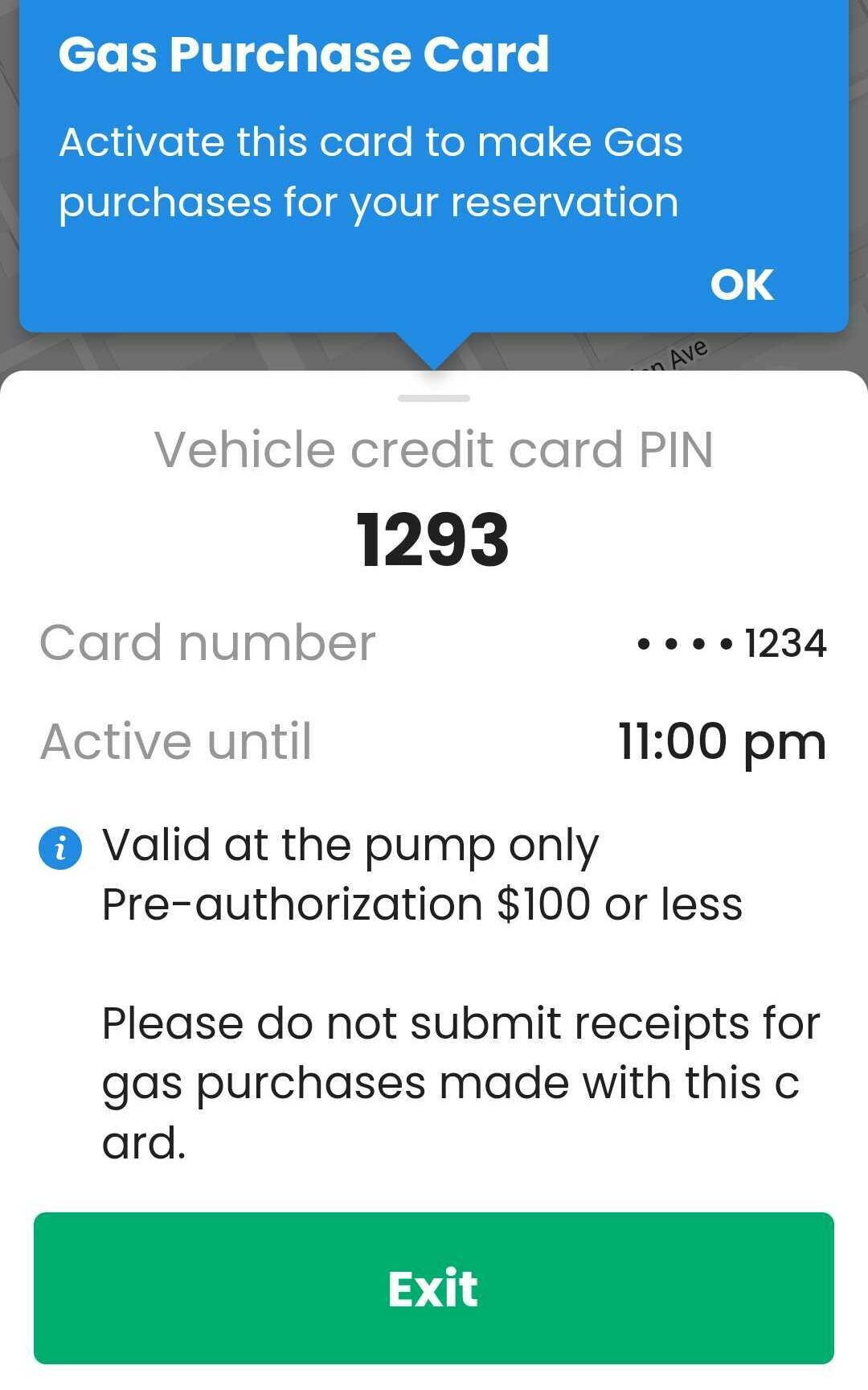
To use the card, scroll up on your reservation banner and tap “Fuel Card.” From there, you’ll be instructed to activate the card before the PIN is displayed. Simply follow the terminal instructions to pay at the pump just as you would with any other credit card. The card will be active for 15 minutes after activation. Cards can be reactivated as many times as needed in a booking.
Please only fuel up using regular fuel, and note that the cards have a $100 limit.
Members who use the desktop site instead of the app will need to call Peg City to activate a fuel card before fuelling.
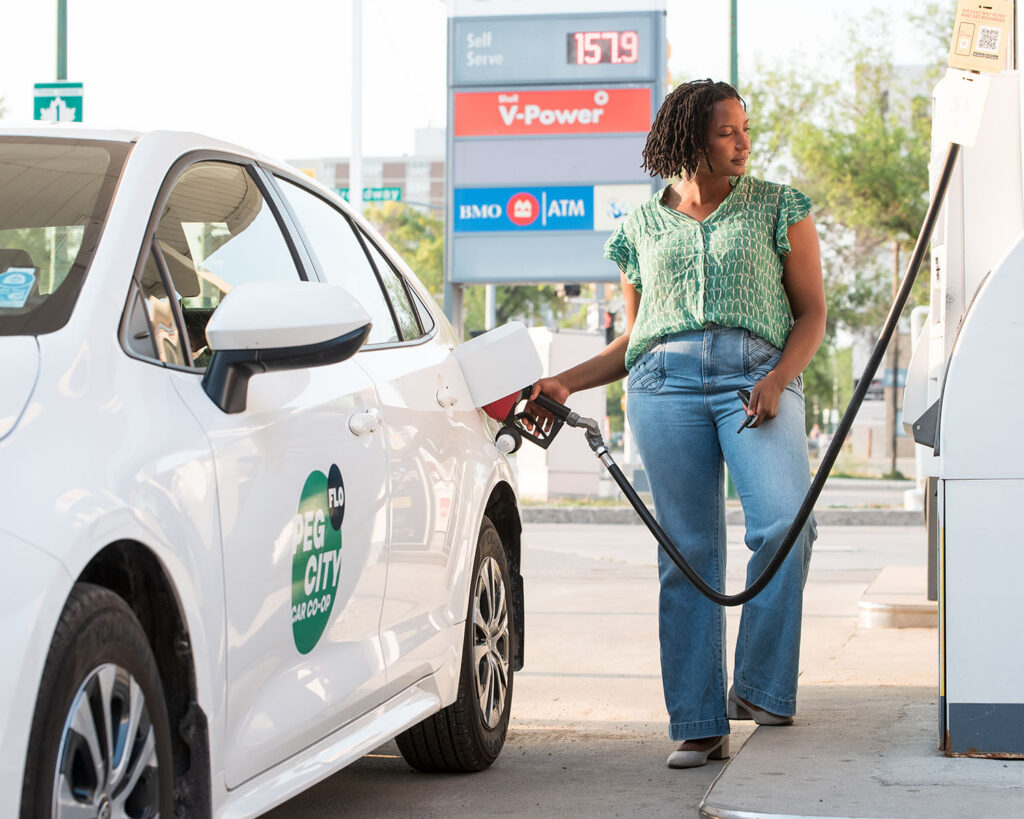
And we’re off! Fill that tank!
Once the tank is full, you’re done. No need to save the receipt and no log book entry to complete. Just slide the card back into its slot in the key-card holder and get on your way!
Other Ways To Pay
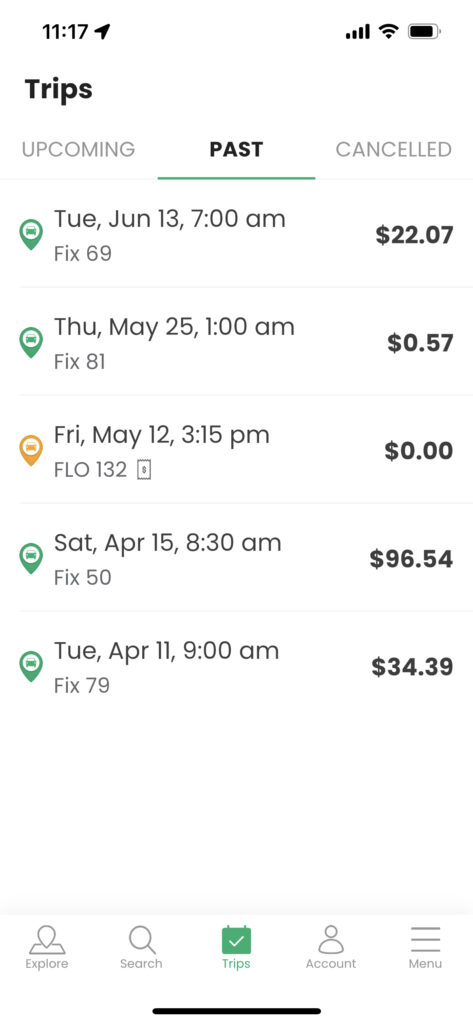
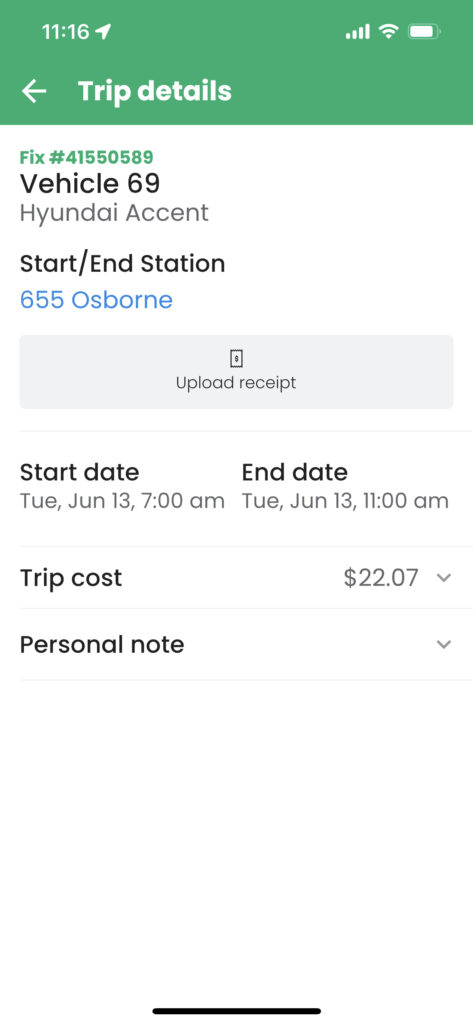
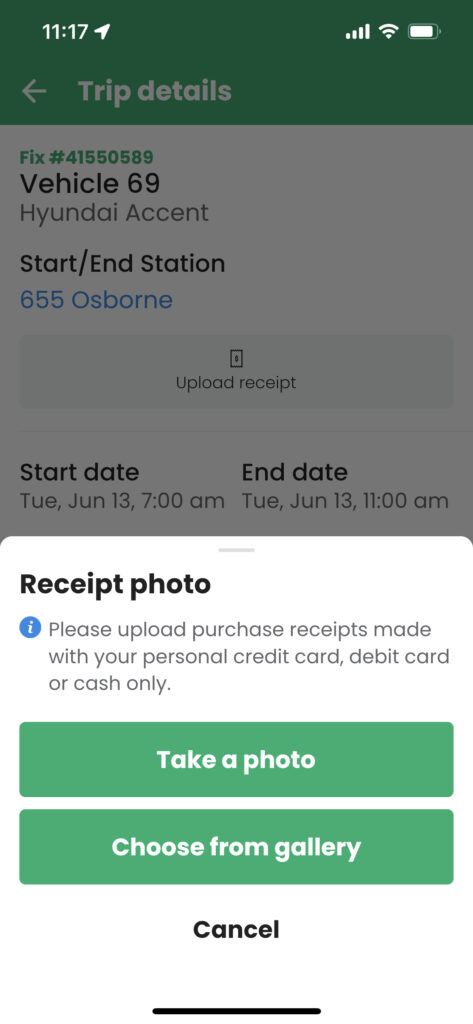
If, for whatever reason, you can’t pay with the Shell fuel card, please pay out of pocket, take a photo of your receipt and submit it through the app (Trips>Past>Click on the trip>Upload receipt). Items like wiper fluid must be purchased out of pocket and reimbursed later. You can also email us a photo of the receipt if the app is not an option for you.
For proper reimbursement, the receipt must be clear, itemized, and show the date and time of the transaction. Our Member Services team will add the credit to your account from there.